Beware: Chrome Web Store Overrun by Counterfeit VPN Extensions
By Editor • August 20, 2026 • 3 min read
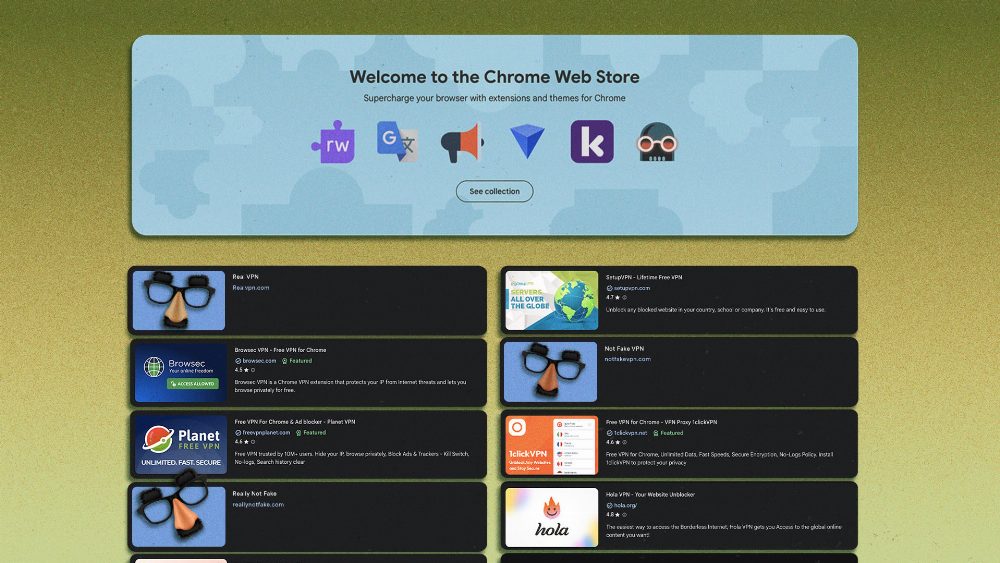
The promise of virtual private networks (VPNs) is simple: to safeguard your online privacy by funneling your data through a secure, encrypted channel. However, a recent investigation by cybersecurity firm Socket has uncovered a troubling reality—over 700 fake VPN extensions lurking within the Chrome Web Store, putting users' personal information at risk.
Socket's team scrutinized 737 dubious Chrome extensions that claimed to provide VPN and SOCKS5 proxy services. Alarmingly, they found that many of these applications were misleadingly branded to resemble trusted services such as NordVPN and Surfshark, aiming to deceive users into granting them unfettered access to their internet activity. In total, these deceptive extensions accumulated over 75,000 installations.
Upon examining 525 of these extensions in detail, Socket identified numerous red flags. A staggering 274 of the extensions copied branding from renowned VPN providers, while others masqueraded as lesser-known services to exploit users seeking privacy.
Furthermore, many extensions directed traffic through fixed SOCKS5 proxies without offering split tunneling options, meaning all internet activity was funneled through a single server. This lack of flexibility raises serious concerns about user privacy. Socket's research also revealed that some VPNs claimed to offer premium servers in various countries, yet DNS lookups confirmed these servers did not exist.
The study highlighted alarming practices among these extensions, such as using DNS-over-HTTPS evasion techniques to bypass Chrome's blocklists, and the absence of internal licensing verification for paid subscriptions. In some cases, extensions like Burënka VPN simply provided a deceptive user interface without any real server functionality.
How did these fraudulent extensions evade Chrome's review process? Socket suggested that the developers behind these applications had likely invested time understanding the review mechanisms, learning how to circumvent them through trial and error. Even after prior removals, many of these developers reappeared with new extensions, exploiting the minimal barrier to entry in creating new accounts. For a mere $5, they could set up fresh accounts and continue their deceptive practices.
Notably, many of these fake VPNs were tailored for Russian users navigating around local censorship laws, which may have contributed to their limited visibility on a global scale. However, the implications of this issue extend far beyond one region, as lax security policies in the Chrome Web Store could allow similar threats to affect users worldwide.
As users, it’s crucial to remain vigilant against these counterfeit VPNs. Socket provides several tips for identifying potentially harmful extensions. First, always download extensions directly from the VPN provider's official website rather than searching for them in the Chrome Web Store. Second, read user reviews thoroughly; if numerous complaints about security arise, it's wise to steer clear. Moreover, verify the developer account linked to the extension and ensure it is officially affiliated with the VPN service.
Additionally, use tools like WhatIsMyIPAddress.com to check your visible IP address and confirm it matches what your VPN claims to display. Running a DNS leak test can further help ensure that your VPN is functioning correctly, revealing any potential leaks of your real IP address or other identifying information.
Source: lifehacker.com